For consumers considering Subway, understanding payment options, particularly digital wallets like Apple Pay, streamlines the ordering process. This clarity is crucial for quick-service restaurants where transaction speed and convenience directly impact customer satisfaction. This guide details Subway's acceptance of Apple Pay across various purchasing channels, alongside an overview of menu and pricing factors, ensuring a smooth and informed transaction.
Does Subway Accept Apple Pay? The Current Status
Subway widely accepts Apple Pay, offering a secure and efficient payment method for customers. This acceptance extends across multiple transaction points, reflecting a broader industry trend towards embracing digital wallet solutions for enhanced customer convenience and data security.
- In-Store Purchases: Most Subway locations are equipped with NFC (Near Field Communication) terminals that support Apple Pay. Customers can simply tap their iPhone or Apple Watch at the point of sale to complete their transaction.
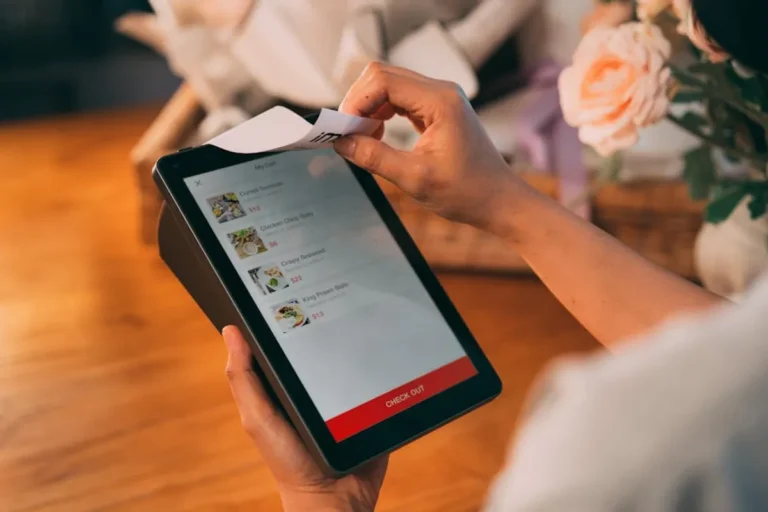
- Subway App Orders: The official Subway mobile application integrates Apple Pay as a payment option for orders placed for pickup or delivery. This allows users to pay directly through the app without manually entering card details.
- Online Orders: When ordering through the Subway website, Apple Pay is typically available as a checkout option, especially for users accessing the site via an Apple device. This provides a consistent digital payment experience across platforms.
While acceptance is widespread, it is always prudent to confirm with individual franchise locations, as some independent operators may have specific payment system configurations. However, the vast majority of corporate and franchised stores support Apple Pay.
Using Apple Pay at Subway: A Step-by-Step Guide
The process for using Apple Pay at Subway is designed for speed and simplicity, whether you are physically in a restaurant or ordering remotely.
For In-Store Transactions
When paying at the counter, the process mirrors any other Apple Pay transaction:
- Confirm your order total with the Subway team member.
- When prompted to pay, double-click the side button on your iPhone (or Apple Watch).
- Authenticate with Face ID, Touch ID, or your passcode.
- Hold your device near the contactless reader until a checkmark and "Done" appear on the screen.
This method eliminates the need to carry physical cards or cash, accelerating the checkout line.
For Subway App and Online Orders
Integrating Apple Pay into digital orders enhances security and reduces friction:
- Build your order within the Subway app or on the website.
- Proceed to the checkout screen.
- Select Apple Pay as your payment method.
- Authenticate the purchase using Face ID, Touch ID, or your passcode on your Apple device.
- Confirm your order for pickup or delivery.
This digital integration ensures that sensitive card information is never directly entered into the app or website, as Apple Pay uses tokenization to protect transaction details.
Benefits of Using Apple Pay at Subway
Opting for Apple Pay at Subway offers several distinct advantages beyond mere convenience:
- Enhanced Security: Apple Pay uses tokenization, meaning your actual credit or debit card number is never stored on your device or shared with Subway. Instead, a unique, encrypted Device Account Number is used for each transaction, significantly reducing the risk of fraud.
- Speed and Efficiency: Contactless payments are inherently faster than swiping or inserting a card, and certainly quicker than handling cash. This reduces wait times, particularly during peak hours.
- Privacy Protection: Since your card details are not transmitted to the merchant, your purchasing habits cannot be linked back to your personal financial information by third parties.
- Consolidated Wallet: Apple Pay centralizes your payment cards, loyalty cards, and even some gift cards within your Apple Wallet, simplifying what you need to carry.
Subway Menu Overview and Pricing Considerations
Subway's menu is built around customizable sandwiches, salads, and wraps. Core offerings include various bread types, protein options (e.g., turkey, ham, chicken, steak, plant-based alternatives), cheeses, vegetables, and sauces. Beyond the customizable items, Subway also offers pre-designed Signature Subs, sides like chips and cookies, and a range of beverages.
Pricing at Subway is subject to regional variations, specific franchisee policies, and ongoing promotional offers. The cost of a 6-inch or Footlong sub can differ based on location and the complexity of ingredients selected. Apple Pay itself does not introduce additional fees or alter menu pricing; it merely serves as the payment conduit for the established costs. Customers should anticipate potential price differences when comparing in-store purchases to delivery services, as third-party delivery platforms often include service fees and higher menu prices to cover their operational costs.
Pro Tip: Before relying solely on Apple Pay, especially at a new Subway location, quickly confirm their contactless payment acceptance. While most stores are equipped, a quick check can prevent delays. You can often see the Apple Pay logo or a generic contactless payment symbol on the card reader or store window.
Payment Alternatives at Subway
While Apple Pay offers significant advantages, Subway accommodates various other payment methods to ensure accessibility for all customers:
- Credit and Debit Cards: Standard Visa, MasterCard, American Express, and Discover cards are universally accepted.
- Cash: Traditional cash payments remain an option at all physical locations.
- Subway Gift Cards: Both physical and digital Subway gift cards can be redeemed for purchases.
- Other Digital Wallets: Many locations that accept Apple Pay will also accept other NFC-based digital wallets such as Google Pay and Samsung Pay, offering similar convenience and security benefits.
Key Takeaways for Digital Payments at Subway
Subway has embraced digital payment solutions, with Apple Pay standing out as a primary option for its security, speed, and user convenience. Whether you're ordering a classic Footlong in person, customizing a salad through the app, or arranging a catering order online, Apple Pay provides a streamlined transaction experience. Always verify local store capabilities for specific payment methods, but generally, you can expect a smooth, contactless checkout process.
Frequently Asked Questions
Can I use Apple Pay for Subway delivery orders?
Yes, if you order through the official Subway app or website, Apple Pay is typically available as a payment option for delivery orders. Third-party delivery services may also support Apple Pay within their own apps.
Are there any extra fees for using Apple Pay at Subway?
No, using Apple Pay itself does not incur any additional fees from Subway. You pay the same price for your order as you would with a physical credit card or cash.
Does Subway accept other digital wallets like Google Pay or Samsung Pay?
Most Subway locations that accept Apple Pay via NFC terminals also accept other major contactless payment methods, including Google Pay and Samsung Pay.
What should I do if my Apple Pay doesn't work at a Subway location?
First, ensure your device is authenticated and held correctly near the reader. If it still fails, check if the terminal displays the contactless payment symbol. If issues persist, you may need to use an alternative payment method like a physical card or cash.